7 Signs Your Online Store Is Losing Customers at Checkout
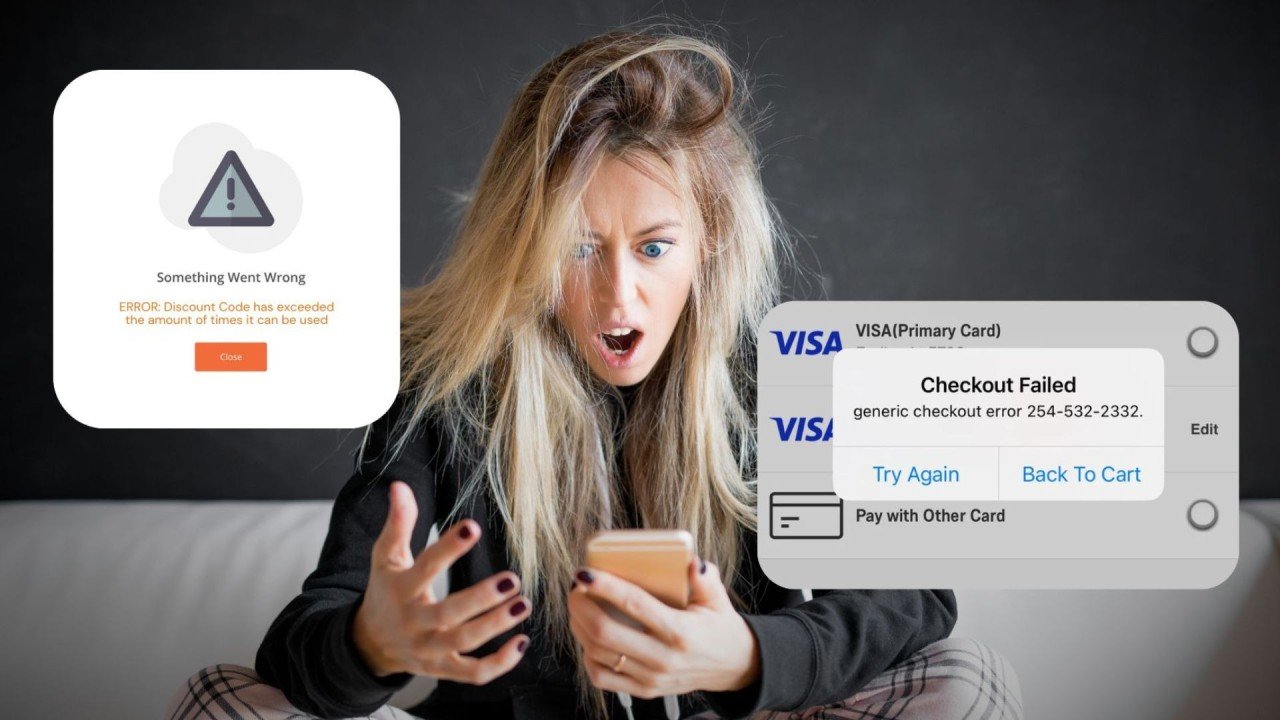
Getting shoppers to add products to their cart is only part of the battle in ecommerce. The real test often comes at checkout. This is where purchase intent is supposed to turn into revenue, yet it is also where many online stores quietly lose customers every day. A shopper may browse several pages, compare products, choose an item, and click through with clear buying interest, only to disappear right before payment.
1. Cart Abandonment Is High Even When Product Interest Looks Strong
If shoppers are reaching the cart regularly but a large share never complete the purchase, checkout may be the problem. High product-page engagement, strong add-to-cart behavior, and weak purchase completion often point to friction later in the process. This usually means people want the product but something during checkout causes hesitation or frustration.
It is important to distinguish this from weak product demand. If visitors are not adding items to the cart at all, the problem may be pricing, product appeal, or traffic quality. But if cart activity is healthy and sales still feel lower than expected, the checkout flow deserves close attention.
2. Extra Costs Appear Too Late
One of the fastest ways to lose a customer at checkout is to reveal major costs too late. Shipping charges, taxes, handling fees, or delivery surcharges can create an unpleasant surprise if they only appear at the final step. A customer who felt comfortable with the product price may suddenly feel misled once the total jumps higher than expected.
Even when the added costs are reasonable, late disclosure damages trust. Shoppers want clarity. If the total cost feels unpredictable, they may leave rather than continue. Stores that are transparent earlier in the process often reduce this kind of abandonment because customers know what to expect before they reach payment.
3. The Checkout Process Feels Too Long
Long checkout flows are another strong warning sign. If buyers must move through too many steps, fill out too many fields, or repeatedly confirm information, they may lose patience before completing the order. Online shoppers generally want checkout to feel quick and simple, especially on mobile devices.
A checkout that asks for unnecessary details, includes too many pages, or creates too much mental effort can quietly reduce conversions. In many cases, simplifying the process creates a bigger impact than making cosmetic design changes elsewhere on the site. When buying feels harder than it should, even interested customers may leave.
4. Forced Account Creation Is Blocking Purchases
Some stores still require customers to create an account before they can complete a purchase. While this may seem useful for customer retention or future marketing, it can become a barrier for first-time buyers. Not everyone wants to create a password, verify an email, or commit to an account just to buy one product.
If your store forces registration before checkout, you may be losing customers who would have happily completed a guest purchase. Account creation works better as an optional convenience rather than a mandatory obstacle. People are much more willing to create an account after a smooth purchase than before one.
5. Payment Options Feel Limited or Inconvenient
Customers often arrive at checkout expecting to pay in the way that feels easiest to them. If the available payment methods are too limited, some buyers may leave even if they still want the product. This is especially true for stores serving international customers or mobile-first shoppers.
A checkout that only offers one or two payment routes can reduce trust and flexibility. Some shoppers want cards, others prefer mobile wallets, and some may feel more comfortable using familiar digital payment systems. When buyers do not see a convenient option, hesitation increases. In ecommerce, even small inconvenience at the payment stage can be enough to stop a sale.
6. Mobile Checkout Feels Frustrating
Many online stores look acceptable on desktop but become annoying to use on mobile. Since a large share of ecommerce traffic now comes from phones, a poor mobile checkout can quietly hurt sales more than store owners realize. Tiny fields, awkward popups, slow-loading pages, broken autofill, or hard-to-tap buttons all create friction.
If customers are dropping off more heavily on mobile than desktop, checkout usability may be the reason. Mobile users usually have less patience, smaller screens, and more distractions. A checkout that is not optimized for speed and ease on phones will lose buyers who might otherwise have converted.
7. Trust Feels Weak at the Point of Payment
Checkout is the moment when customers are most sensitive to trust. They are about to share payment details, personal information, and delivery information. If the checkout page feels outdated, confusing, or insecure, people may stop even if they liked everything else about the store.
Weak trust signals can include poor design consistency, strange errors, missing security reassurance, unclear return policy information, or anything else that makes the final purchase step feel uncertain. Customers do not need to see a dramatic warning sign to lose confidence. Sometimes a checkout just feels slightly off, and that is enough to create doubt.
How to Respond When You Notice These Signs
If your online store is showing several of these warning signs, the next step is not to redesign everything at once. It is better to identify where the friction is strongest and improve the checkout experience systematically. Start by reviewing shipping transparency, simplifying the flow, reducing unnecessary fields, offering guest checkout, and making sure payment options match customer expectations.
It is also helpful to look at device-specific behavior. If mobile abandonment is far worse than desktop abandonment, the issue may be usability rather than pricing. If customers leave right after seeing the final total, the issue may be late cost disclosure. The more precisely you identify the problem, the easier it becomes to fix it effectively.
Checkout Optimization Is About Trust and Ease
Many store owners think checkout optimization is only about technical efficiency, but it is also about psychology. People complete purchases when the process feels clear, smooth, and safe. They abandon purchases when something creates uncertainty, friction, or annoyance at the wrong moment.
A high-converting checkout does not need to be complicated. It needs to remove doubt rather than create it. That means making total costs clearer, reducing unnecessary steps, respecting the user’s time, and making payment feel easy and secure.
Conclusion
If your online store is losing customers at checkout, the signs are often there long before the problem becomes obvious. High cart abandonment, late extra costs, long flows, forced account creation, limited payment methods, mobile friction, and weak trust signals are all common reasons shoppers leave at the final stage.
The encouraging part is that these problems are usually fixable. A smoother checkout experience can turn existing buying intent into more completed orders without needing more traffic or more products. In ecommerce, small checkout improvements often create some of the most valuable gains because they help stores convert customers they were already close to winning.