Best Budget Laptops for Work, Study, and Business
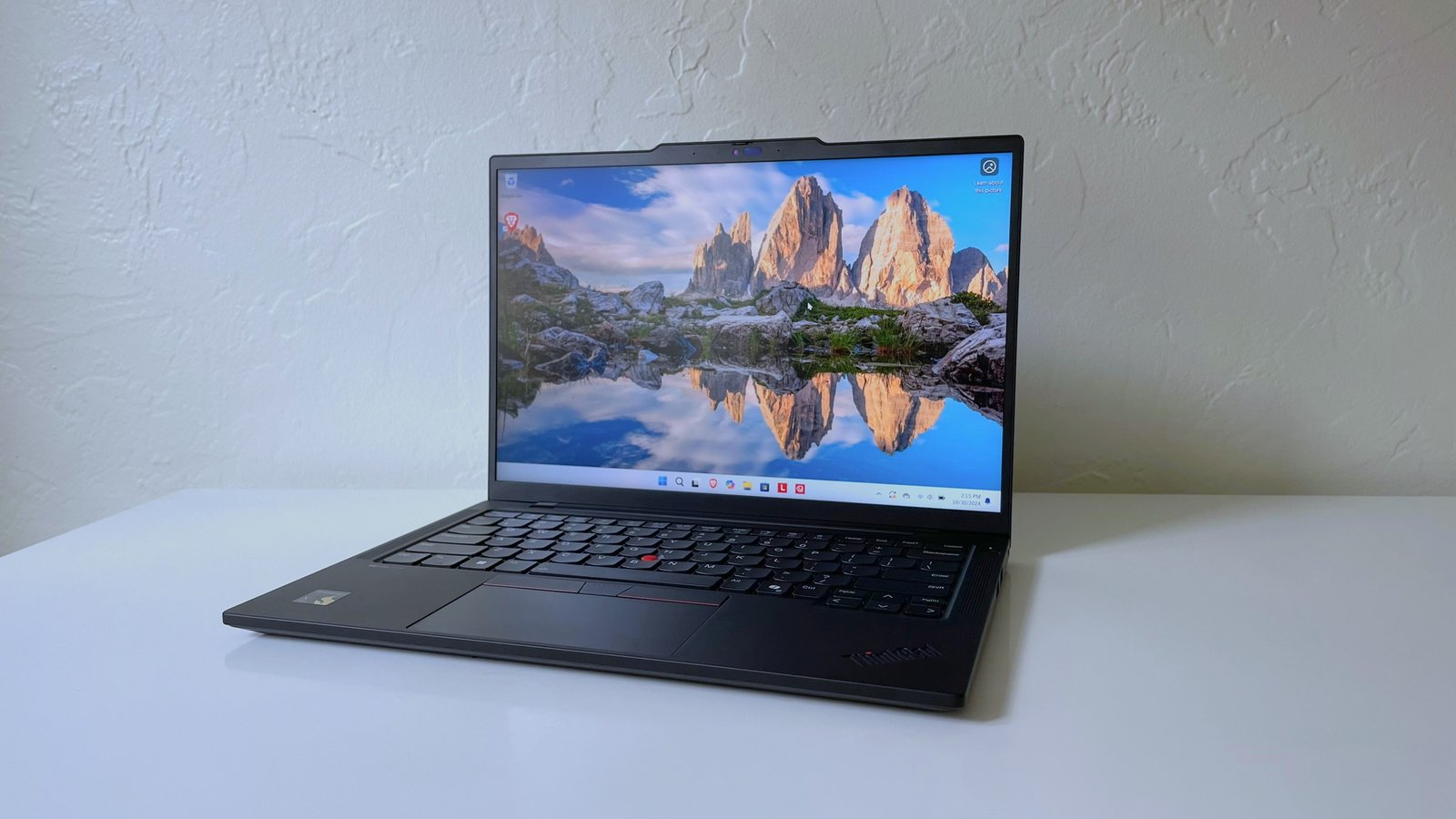
Buying a laptop does not always mean spending a huge amount of money. Today, many budget laptops are powerful enough for everyday work, online classes, business tasks, video meetings, writing, research, browsing, spreadsheets, and light creative work. The challenge is knowing which features matter most and which compromises are acceptable.
A budget laptop should not simply be the cheapest device available. A very cheap laptop can become slow, frustrating, and outdated quickly. The best budget laptop is one that offers good performance, decent build quality, reliable battery life, and enough storage for your needs without costing more than necessary.
Whether you are a student, remote worker, freelancer, small business owner, or office employee, the right budget laptop can help you stay productive without damaging your finances.
What Makes a Good Budget Laptop?
A good budget laptop should balance price and performance. It should be affordable, but still capable of handling daily tasks smoothly. These tasks may include using Microsoft Office or Google Workspace, attending Zoom or Google Meet calls, browsing the web, managing emails, watching videos, creating presentations, and using basic business software.
The most important features to consider are the processor, RAM, storage, battery life, display, keyboard, portability, and operating system. You do not need the most expensive specifications, but you should avoid buying a laptop that is already too weak for modern use.
For most people, a budget laptop should feel fast enough for multitasking, have a clear screen, last several hours on battery, and include enough ports for accessories.
Best Budget Laptops for Work
For work, reliability matters more than flashy design. A work laptop should be able to handle emails, documents, spreadsheets, video calls, browser tabs, and business apps without freezing.
If you work with many browser tabs or office documents at once, look for at least 8GB of RAM. If possible, 16GB is better because it gives the laptop more room to handle multitasking. Storage should ideally be an SSD rather than an older hard drive. SSDs make laptops start faster, open apps quicker, and feel smoother overall.
A good work laptop should also have a comfortable keyboard. If you type reports, emails, proposals, or data entries every day, keyboard quality is important. A poor keyboard can slow you down and become uncomfortable.
Battery life is another major factor. A laptop that lasts a full work session without needing constant charging is more practical, especially if you move between meetings, offices, or cafes.
For work users, a simple Windows laptop with solid specifications is usually a safe choice. A Chromebook may also work well if your job is mostly browser-based and uses cloud tools.
Best Budget Laptops for Students
Students need laptops that are portable, durable, and affordable. A student laptop should be easy to carry, strong enough for research and assignments, and reliable enough to last through classes, exams, and projects.
For most students, a lightweight 13-inch, 14-inch, or 15-inch laptop is ideal. A 14-inch laptop often offers the best balance between screen size and portability. It is large enough for writing and reading but small enough to carry in a backpack.
Students should also pay attention to battery life. A laptop that dies during class, study sessions, or library work can become a problem. Long battery life reduces the need to carry a charger everywhere.
For basic schoolwork, a Chromebook can be a smart budget option. Chromebooks are usually affordable, simple to use, and good for web browsing, Google Docs, online research, video streaming, and virtual classes. However, they may not be ideal for students who need specialized Windows or Mac software.
Students in fields such as engineering, architecture, design, programming, or video editing may need stronger laptops with more RAM, better processors, or dedicated graphics. In that case, the cheapest laptop may not be the best investment.
Best Budget Laptops for Small Business Owners
Small business owners need laptops that can support daily operations. This may include managing accounts, replying to customers, creating invoices, updating websites, running ads, preparing documents, joining calls, and tracking sales.
A budget business laptop should be dependable and secure. It should have enough power for multitasking and enough storage for documents, customer records, reports, and business files.
For small business owners, 16GB RAM is a strong target if the budget allows. This helps when running multiple apps at the same time, such as a browser, accounting software, email, messaging apps, and spreadsheets.
Storage is also important. A 256GB SSD may be enough for light users who store most files in the cloud. A 512GB SSD is better for people who keep many documents, images, videos, or business files locally.
A good webcam and microphone are also useful for business meetings. Since many client calls and team discussions happen online, clear communication matters.
Business owners should also think about security features such as fingerprint readers, webcam privacy shutters, and support for regular software updates.
Windows Laptop vs Chromebook
One of the biggest decisions when buying a budget laptop is choosing between Windows and Chromebook.
A Windows laptop is more flexible. It can run traditional desktop software, business apps, creative tools, and many professional programs. If you need Microsoft Office desktop apps, accounting software, advanced file management, or specialized applications, Windows is usually the better choice.
A Chromebook is simpler and often more affordable. It works best for people who mostly use the internet, Google Docs, Gmail, cloud storage, online learning platforms, and web-based apps. Chromebooks are easy to maintain and usually less demanding for basic users.
The right choice depends on your work style. If everything you do happens in a browser, a Chromebook may be enough. If you need full software compatibility, choose Windows.
How Much RAM Do You Need?
RAM affects how many tasks your laptop can handle at the same time. For very basic use, 4GB may still work, but it is not ideal for modern multitasking. A laptop with only 4GB can become slow when using many browser tabs or apps.
For most users, 8GB RAM should be considered the minimum. It is suitable for browsing, documents, video calls, emails, and basic productivity.
If your budget allows, 16GB RAM is the better long-term choice. It gives your laptop more breathing room and helps it remain useful for more years. This is especially important for business users, students with heavier workloads, and anyone who multitasks often.
How Much Storage Do You Need?
Storage determines how many files, apps, photos, and videos you can keep on your laptop. More important than size is the type of storage. Always choose an SSD if possible. SSD storage is much faster than traditional hard drive storage.
A 128GB SSD may be enough for very light users, but it can fill up quickly. A 256GB SSD is acceptable for basic users who rely on cloud storage. A 512GB SSD is a better choice for most people because it provides more flexibility.
If you store many videos, photos, design files, or business documents, you may also use an external drive or cloud storage to avoid running out of space.
Display and Screen Size
The screen affects comfort and productivity. A poor display can make reading, writing, and video calls less enjoyable. Look for at least a Full HD display if possible. Avoid low-resolution screens unless the price is extremely low and your needs are very basic.
Screen size also matters. A 13-inch laptop is portable but may feel small for long work sessions. A 14-inch laptop is a balanced choice. A 15-inch or 16-inch laptop gives more screen space but may be heavier.
For students and travelers, portability may matter more. For office work and spreadsheets, a larger screen may be more comfortable.
Battery Life and Portability
A good budget laptop should last long enough for normal daily use. Battery life depends on the processor, screen, battery size, and how you use the laptop. Video calls, brightness, and many open apps can drain battery faster.
If you move often, choose a lightweight laptop with strong battery life. If the laptop will stay mostly on a desk, weight may not matter as much.
Portability is not only about weight. Charging speed, charger size, and build quality also affect daily convenience.
Features Worth Paying Extra For
Even when buying on a budget, some features are worth paying a little more for. These include 16GB RAM, 512GB SSD storage, a Full HD display, a backlit keyboard, strong battery life, a good webcam, and USB-C charging.
These features can make the laptop more comfortable and useful over time. A slightly more expensive laptop that lasts longer may be a better deal than a cheaper one that becomes slow after one year.
Final Thoughts
The best budget laptop is not the same for everyone. A student may need portability and battery life. A business owner may need multitasking power and security. A remote worker may need a good webcam, keyboard, and reliable performance. A casual user may only need a simple Chromebook for browsing and documents.
Before buying, think about how you will use the laptop every day. Do not focus only on price. Look at RAM, storage, display, battery life, keyboard comfort, and operating system.
For most people, a budget laptop with at least 8GB RAM, SSD storage, a Full HD screen, and decent battery life is a good starting point. If you can afford it, 16GB RAM and 512GB SSD storage will give you a better long-term experience.
A smart budget laptop should help you work, study, and manage your daily tasks without constant frustration. When chosen carefully, an affordable laptop can still be a powerful tool for productivity, learning, and business growth.