
Top Laptop Stands for Better Ergonomics, Cooling, and Desk Space
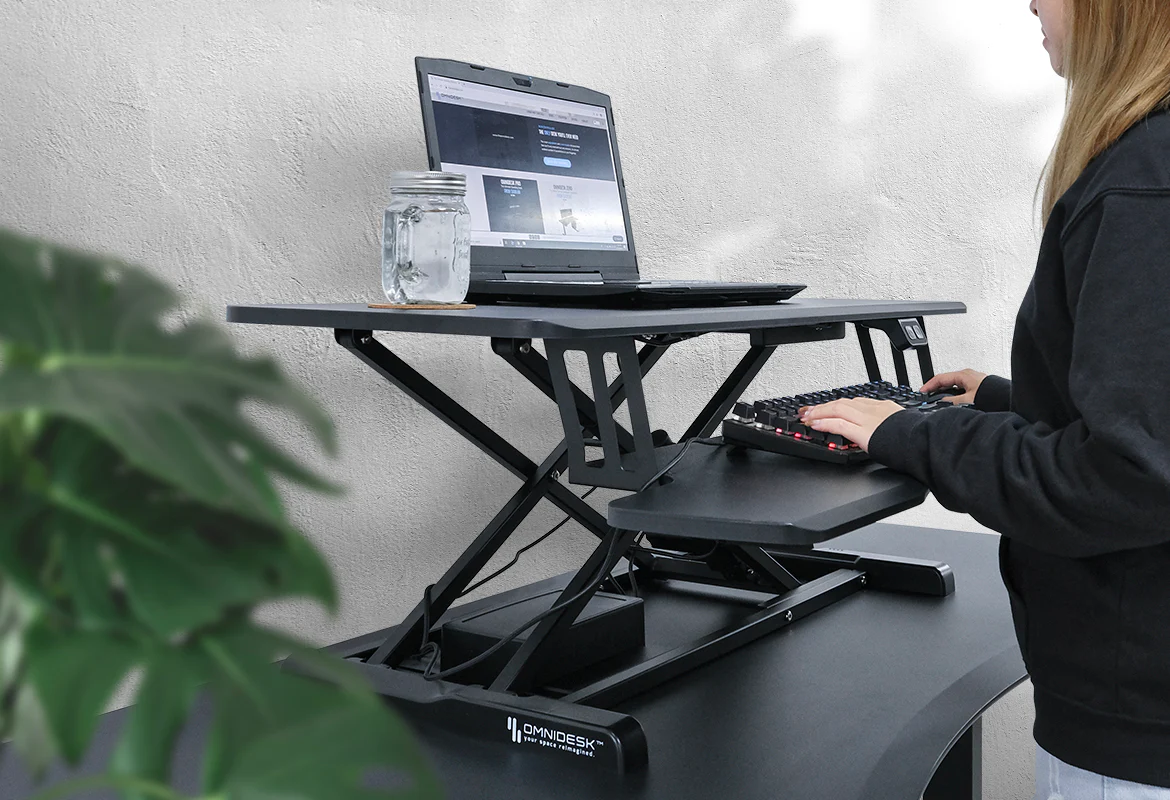
However, a stand is not an ergonomic solution by itself. Once a laptop is elevated, its built-in keyboard and trackpad may become uncomfortable to use. For extended work sessions, most elevated stands should be paired with an external keyboard and mouse.
After comparing adjustability, stability, portability, ventilation, compatibility, and desk-space requirements, these are the laptop stands that make the strongest cases for different types of users.
Quick Comparison of the Best Laptop Stands
| Laptop Stand | Best For | Adjustment | Portability | Laptop Position |
|---|---|---|---|---|
| Rain Design mStand | Permanent desktop setups | Fixed | Low | Open |
| Twelve South Curve Flex | Premium adjustability | Height and angle | Medium | Open |
| Roost V3 | Frequent travelers | Multiple height settings | Excellent | Open |
| Nexstand K2 | Budget-conscious mobile workers | Eight height levels | Excellent | Open |
| Twelve South BookArc Flex | Maximum desk-space savings | Self-adjusting cradle | Good | Closed and vertical |
1. Rain Design mStand — Best Fixed Laptop Stand
Best for: Home offices and permanent desk setups
The Rain Design mStand remains an excellent choice for users who value simplicity, stability, and clean industrial design. It is formed from a sturdy piece of aluminum and creates a fixed elevated position for a laptop.
Unlike stands with multiple hinges, the mStand does not require regular tightening or readjustment. That makes it especially suitable for a desk where the same person uses the same laptop each day. Its open-backed design also provides room for cable routing, while the space underneath can be used to store a compact keyboard when the workstation is not in use.
The limitation is adjustability. Its fixed position will not suit every combination of user height, chair, and desk. It is also considerably less convenient to carry than a folding travel stand.
- Strengths: Stable construction, clean appearance, useful space underneath, simple setup
- Drawbacks: Fixed height, relatively bulky, best used with an external keyboard and mouse
2. Twelve South Curve Flex — Best Premium Adjustable Stand
Best for: Users who want a refined stand with meaningful height and angle adjustment
The Twelve South Curve Flex addresses the main weakness of fixed desktop stands: it allows the user to change both screen height and keyboard angle.
According to Twelve South and Apple’s accessory listing, the stand can position a MacBook’s screen or camera up to approximately 22 inches above the desk, depending on the computer and adjustment. Its platform angle can also be changed from flat to a substantially inclined position.
The Curve Flex folds flat and includes a travel sleeve, making it more transportable than a conventional solid-aluminum stand. At around 1.8 pounds, however, it is better described as a portable desktop stand than an ultralight accessory.
Adjustment is valuable when several people share a workstation or when the same stand is used at desks of different heights. Buyers should nevertheless confirm compatibility with their particular laptop, especially if it is not a MacBook.
- Strengths: Adjustable height and angle, premium construction, folds for transportation
- Drawbacks: Heavier and more expensive than basic travel stands, external peripherals recommended at higher positions
3. Roost V3 — Best Lightweight Travel Stand
Best for: Remote workers who regularly move between offices, hotels, and coworking spaces
The Roost V3 is built around portability. It weighs approximately six ounces and collapses into a long, narrow package that fits easily beside a laptop in most work bags.
Its multiple height settings provide more flexibility than a typical fixed stand. Pivoting grips are designed to accommodate a wide range of laptops, while the elevated, minimal frame leaves much of the computer’s underside exposed.
The Roost’s greatest advantage is that it makes an elevated dual-device travel setup realistic. A worker can place the laptop beside a portable monitor, use a compact keyboard and mouse, and create a more practical workstation almost anywhere.
Its narrow frame may feel less substantial than a heavy metal desktop stand, particularly when used with a large laptop or on an unstable table. Careful placement is important, and users should always make sure the front grips have securely captured the laptop before letting go.
- Strengths: Extremely light, compact when folded, multiple height positions
- Drawbacks: Premium price for a portable stand, less substantial than a solid desktop model
4. Nexstand K2 — Best Budget Portable Laptop Stand
Best for: Students, hybrid workers, and travelers seeking strong value
The Nexstand K2 offers many of the practical advantages of a premium portable stand at a more accessible price point. It has eight height levels, an open folding structure, and a fiberglass-reinforced nylon body.
The manufacturer lists compatibility with laptops from 10 to 17 inches, provided the front edge is less than two centimeters thick. It weighs roughly 234 grams and folds into a slim shape for transportation. Nexstand also lists a maximum supported load of nine kilograms, although stability and correct placement still matter more than the theoretical weight limit during everyday use.
The open design is useful for laptops with ventilation on the underside because it is less likely to cover a large intake area. That does not guarantee lower internal temperatures, but it can help avoid the airflow obstruction caused by soft surfaces or solid, poorly positioned platforms.
- Strengths: Competitive price, eight height levels, lightweight, wide stated compatibility
- Drawbacks: Plastic construction feels less premium, front-edge thickness requirement may exclude some laptops
5. Twelve South BookArc Flex — Best Vertical Stand for Saving Desk Space
Best for: Closed-laptop desktop setups using an external monitor
The Twelve South BookArc Flex solves a different problem from the other products in this guide. Instead of raising an open screen, it holds a closed laptop vertically so it occupies far less horizontal desk space.
This configuration works particularly well behind an external display or on a narrow desk. The stand uses a flexible cradle rather than model-specific inserts, allowing it to adapt to different laptop thicknesses. It also makes the computer easy to remove when it is time to leave the desk.
A vertical stand should only be used after confirming that the laptop supports closed-display or clamshell operation. The user will also need an external monitor, keyboard, and pointing device. Check where the laptop’s vents are located and ensure neither the stand nor nearby objects block its intake or exhaust openings.
- Strengths: Frees substantial desk space, minimalist design, accommodates different laptop sizes
- Drawbacks: Cannot display the laptop’s own screen, requires a complete external desktop setup
How to Choose the Right Laptop Stand
Choose Between Open and Closed-Laptop Use
An elevated stand is the better choice if the laptop screen will remain part of the workstation. A vertical stand is intended for users who connect the laptop to an external display and operate it while closed.
Check Height and Viewing Position
As a practical starting point, position the top portion of the screen around eye level or slightly below it, with the display approximately an arm’s length away. Treat that as a starting point rather than an inflexible rule: display size, eyesight, chair height, and progressive-lens glasses may require adjustments.
Use an External Keyboard and Mouse
If a stand raises the screen to a comfortable viewing height, it usually raises the built-in keyboard too high for sustained typing. An external keyboard and mouse allow the screen and input devices to be positioned independently.
Inspect Vent Placement
Before purchasing, locate the laptop’s intake and exhaust vents. An open stand can reduce obstruction, but no passive stand can guarantee cooler processor or graphics temperatures. Cooling performance depends on the computer’s internal design, workload, room temperature, fan condition, and vent placement.
Consider Stability and Laptop Compatibility
Check the supported laptop dimensions, weight, and front-edge thickness. Protective cases can change the laptop’s effective dimensions and may prevent retaining hooks from fitting correctly. Rubberized contact points are also important for reducing movement and protecting the computer’s finish.
Match Portability to Your Routine
A solid metal stand is generally more appropriate for a permanent workstation. A folding model is better for commuting, but weight is only part of the equation. Folded length, setup time, carrying sleeve, and the need to transport a keyboard and mouse should also influence the decision.
Frequently Asked Questions
Does a laptop stand actually improve ergonomics?
It can improve screen positioning, but only as part of a complete setup. Chair height, desk height, keyboard position, viewing distance, lighting, and regular movement breaks remain important. Persistent discomfort should not be ignored.
Will a laptop stand prevent overheating?
No stand can promise to prevent overheating. An open stand may avoid blocking bottom-mounted vents and can expose more of the chassis to surrounding air. It cannot repair clogged fans, dried thermal material, failing hardware, or an inadequate internal cooling system.
Can I type directly on an elevated laptop?
You can do so briefly at a modest angle, but typing directly on a highly elevated laptop often creates an uncomfortable wrist and shoulder position. It may also introduce screen wobble. Use an external keyboard for longer sessions.
Are vertical laptop stands safe?
They are generally safe when correctly sized, placed on a stable surface, and used without blocking vents. Arrange power and display cables so they cannot pull the laptop out of the stand.
Final Verdict
The Rain Design mStand is the strongest straightforward choice for a permanent desk. Choose the Twelve South Curve Flex if adjustment is the priority, or the Roost V3 if you need the lightest practical travel setup.
The Nexstand K2 offers particularly good value for mobile workers. For a closed-laptop workstation where every inch of desk space matters, the BookArc Flex is the most appropriate option.
Whichever model you choose, remember that the stand is only one component. The best results come from combining sensible screen placement with an external keyboard, mouse, stable desk, supportive chair, and regular breaks from sitting.